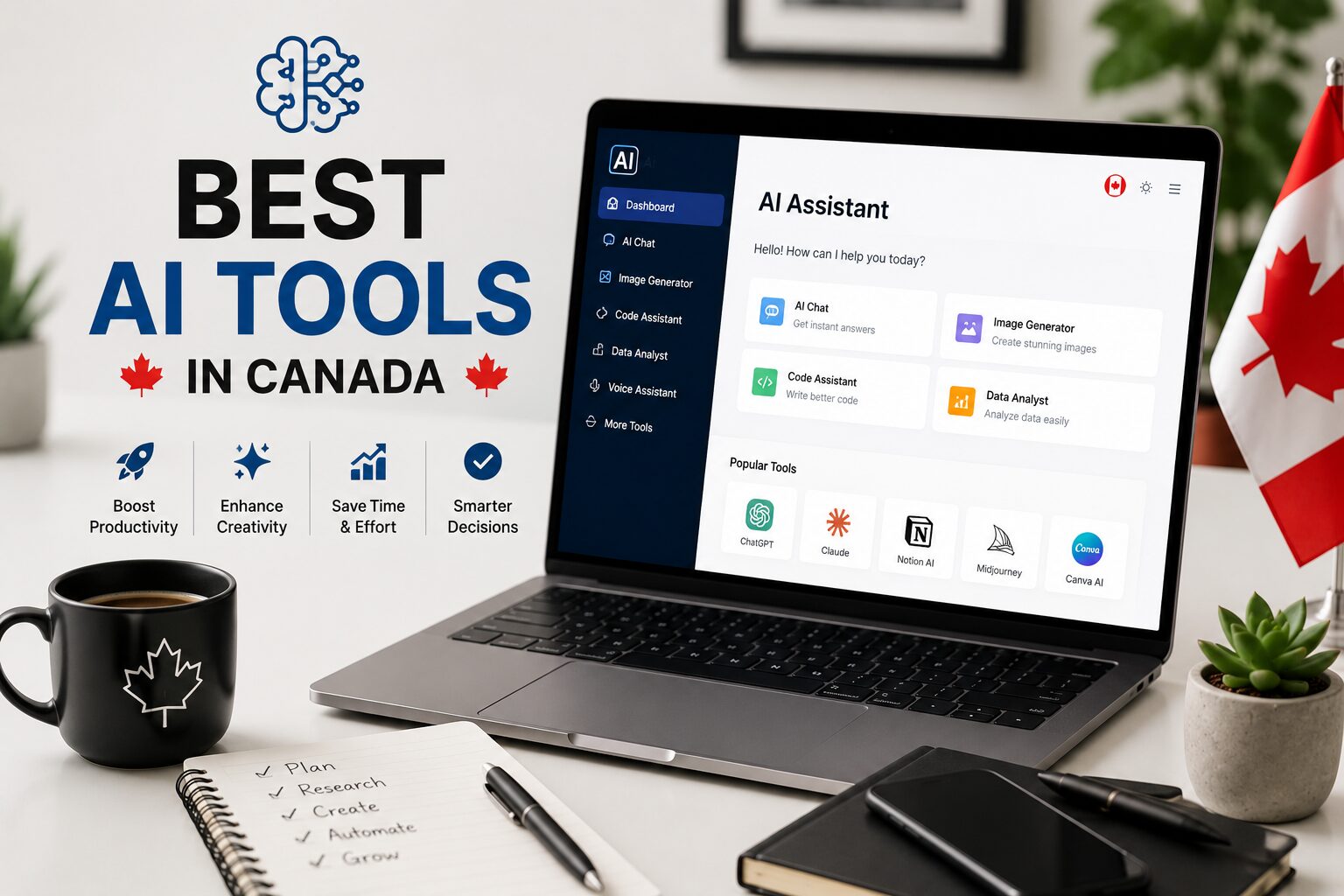
Top 10 Best AI Tools for Students & Work in Canada (2026)
The best AI tools have fundamentally changed how Canadians study, work, and create. What once took hours now takes minutes — and the gap between those using AI and those not is widening fast.
In 2026, AI assistants are no longer experimental toys for tech enthusiasts. Students use them to research, write, and study more effectively. Professionals use them to draft, analyze, code, and automate repetitive work. Businesses — from solo freelancers to enterprise teams — have integrated AI into daily workflows as a core productivity layer.
This guide ranks the top 10 best AI tools available to Canadians in 2026, with honest pricing breakdowns, real use cases, and clear guidance on which tool fits which situation — whether you are a university student in Toronto, a remote worker in Vancouver, or a small business owner in Halifax.
10
Tools Ranked
$0–$30
Monthly Range
2026
Updated
🇨🇦
Canada Focused
Quick Ranked List
- 1
ChatGPT (OpenAI) — Best all-around AI assistant
- 2
Claude (Anthropic) — Best for writing, analysis & long documents
- 3
Perplexity AI — Best for research with live sources
- 4
Gemini (Google) — Best for Google Workspace integration
- 5
Microsoft Copilot — Best for Microsoft 365 & enterprise
- 6
Notion AI — Best for students & note-taking workflows
- 7
Grammarly AI — Best AI writing assistant for professionals
- 8
Midjourney — Best AI image generation tool
- 9
Otter.ai — Best AI meeting transcription tool
- 10
Cursor AI — Best AI coding tool for developers
Jump to a section
Side-by-Side Comparison
Scroll right on mobile to see all columns.
| Tool | Free Plan | Paid Plan | Internet Access | Best For | App Rating | Student Friendly | Offline |
|---|---|---|---|---|---|---|---|
| ChatGPT | ✓ Yes | $27 CAD/mo | ✓ Yes | Everything | ⭐ 4.8 | ✓ | ✗ |
| Claude | ✓ Yes | $27 CAD/mo | ✓ Yes | Writing & Analysis | ⭐ 4.8 | ✓ | ✗ |
| Perplexity | ✓ Yes | $27 CAD/mo | Always On | Research | ⭐ 4.7 | ✓ | ✗ |
| Gemini | ✓ Yes | $27 CAD/mo | ✓ Yes | Google Workspace | ⭐ 4.5 | ✓ | ✗ |
| MS Copilot | ✓ Limited | $38 CAD/mo | ✓ Yes | Microsoft 365 | ⭐ 4.4 | Partial | ✗ |
| Notion AI | Limited | $13 CAD/mo | ✗ No | Notes & Docs | ⭐ 4.6 | ✓ | ✗ |
| Grammarly | ✓ Yes | $16 CAD/mo | ✗ No | Writing Polish | ⭐ 4.6 | ✓ | ✗ |
| Midjourney | ✗ No | From $13 CAD/mo | ✗ No | Image Creation | ⭐ 4.5 | Partial | ✗ |
| Otter.ai | ✓ Yes | From $17 CAD/mo | ✗ No | Transcription | ⭐ 4.4 | ✓ | ✗ |
| Cursor AI | ✓ Yes | From $27 CAD/mo | ✓ Yes | Coding | ⭐ 4.7 | ✓ | ✗ |
*Prices converted to approximate CAD. Verify current pricing at each provider’s website.
BEST OVERALL
ChatGPT
by OpenAI · Launched 2022 · Used by 300M+ users worldwide
ChatGPT is the tool that sparked the modern AI revolution and in 2026 it remains the most capable and versatile AI assistant available to Canadians. Built on OpenAI’s GPT-4o model, it can write essays, summarize research papers, generate code, answer complex questions, analyze uploaded files, create images, and browse the web in real time — all within a single conversation.
Pricing (CAD approximate)
Performance
What it does well
- Best breadth of features in a single tool
- Real-time web browsing with cited sources
- Image generation via DALL-E built in
- Advanced voice mode (natural conversation)
- Custom GPTs for specialized tasks
- File, PDF, and spreadsheet analysis
Limitations
- Free tier has usage limits that hit quickly
- Can confidently give incorrect information
- No offline mode
ChatGPT is available on web, iOS, and Android — all free to download. The free tier is genuinely useful but power users will notice the limits quickly. The Plus plan at around $27 CAD/month unlocks the full model and is worth it if you use AI daily. OpenAI also offers an educational plan for students and teachers at reduced rates.
BEST FOR WRITING
Claude
by Anthropic · Launched 2023 · Safety-focused AI research lab
Claude is built by Anthropic — an AI safety company founded by former OpenAI researchers — and has earned a strong reputation for producing some of the most nuanced, well-structured long-form writing of any AI tool available. Where ChatGPT excels at breadth, Claude excels at depth. It handles enormous documents (up to 200,000 tokens in context), writes in a distinctly more natural tone, and is notably less prone to making things up with false confidence.
Pricing (CAD approximate)
What it does well
- Best-in-class long-form writing and editing
- Handles 200K token context (entire books)
- More nuanced, less “robotic” tone than competitors
- Extended thinking mode for complex reasoning
- Claude Code for agentic software development
- Artifacts feature — generates live previews of code/UI
Limitations
- No image generation (text and analysis only)
- Free tier message limits can be restrictive
- Smaller ecosystem of integrations vs ChatGPT
Claude is available at claude.ai and is free to start with no credit card required. It’s one of the best AI tools Canadian students can access without spending a dollar. For those managing their digital privacy alongside AI usage, pairing Claude with a trusted VPN adds a useful layer of security on shared networks.
BEST FOR RESEARCH
Perplexity AI
Independent AI company · Founded 2022 · The AI answer engine
Perplexity is often described as what Google Search would look like if it was rebuilt from scratch with AI at the core. Every response comes with cited sources you can click and verify, making it the most transparent AI research tool available. Unlike ChatGPT or Claude, Perplexity always has internet access — there is no toggling on a search feature, it simply searches the web for every query and synthesizes the results into a clear answer.
Pricing (CAD approximate)
What it does well
- Every answer includes clickable cited sources
- Always connected to the live web
- Deep Research mode for multi-step investigation
- Excellent free tier — no limits on searches
- Spaces feature for organizing research projects
Limitations
- Not designed for creative writing tasks
- Weaker at long-form document generation
- Pro model choices add cost quickly
Perplexity is available on web, iOS, and Android. The free plan handles the majority of research tasks well. Canadian students in particular benefit from Perplexity when working on academic research, as it can pull from academic sources and news simultaneously while showing exactly where each claim originates. If you are a student managing finances alongside your studies, the right no-fee student bank account pairs well with free AI tools to keep costs low.
BEST GOOGLE INTEGRATION
Gemini
by Google · Launched 2023 · Integrated across Google’s entire ecosystem
Google’s Gemini is the natural choice for anyone already embedded in the Google ecosystem — Gmail, Google Docs, Google Drive, Google Meet, and Google Classroom. Rather than being a standalone chatbot, Gemini’s strongest feature is its deep integration with Google Workspace, where it can summarize emails, draft documents, analyze data in Sheets, and take meeting notes — all without leaving the apps you already use.
Pricing (CAD approximate)
What it does well
- Native integration with Gmail, Docs, Sheets, Drive
- Free tier is generous for Google users
- Excellent at understanding images and documents
- NotebookLM (separate Google AI tool) is exceptional for research
- Strong live web search built in
Limitations
- As a standalone chat tool, slightly behind ChatGPT and Claude
- Best features require Google One subscription
- Privacy concerns for those not in Google ecosystem
BEST FOR OFFICE 365
Microsoft Copilot
by Microsoft · Powered by GPT-4o · Built into Windows, Teams & Microsoft 365
Microsoft Copilot is the most deeply integrated AI tool for workplace productivity. Built on GPT-4o through Microsoft’s partnership with OpenAI, Copilot sits inside Word, Excel, PowerPoint, Outlook, and Teams — letting you draft documents, build formulas, generate slide decks, summarize meeting recordings, and manage email threads without leaving your existing tools. For Canadian businesses already paying for Microsoft 365, Copilot is an add-on that pays for itself quickly.
Pricing (CAD approximate)
What it does well
- Drafts Word documents from a single prompt
- Builds Excel formulas and data analysis automatically
- Generates PowerPoint presentations from an outline
- Summarizes Teams meetings and action items
- Works inside Outlook to triage and draft emails
Limitations
- Full value requires existing Microsoft 365 subscription
- Most expensive per-user cost of any tool in this guide
- Less compelling as a standalone chat tool
If you are a Canadian professional or student looking for work tools beyond AI, Canada’s top job search platforms are worth bookmarking alongside your AI toolkit — they work well together for resume writing and job application workflows.
BEST FOR STUDENTS
Notion AI
by Notion Labs · AI added 2023 · Used by 30M+ people worldwide
Notion is already the go-to workspace for millions of students and professionals managing notes, projects, wikis, and databases. Notion AI layers a capable writing assistant directly inside that workspace — so instead of switching between apps, you can ask AI to summarize your lecture notes, rewrite a paragraph, generate a study plan, or draft a project outline without ever leaving your page. For students especially, this seamless integration makes Notion AI uniquely practical.
Pricing (CAD approximate)
What it does well
- AI lives inside your notes — no context switching
- Summarize, rewrite, translate content instantly
- AI-powered databases for study tracking
- Free plan is genuinely usable for students
- Strong template library for every workflow
Limitations
- AI add-on costs extra on top of the base plan
- No live web browsing or real-time data
- Weaker than ChatGPT or Claude for complex reasoning
BEST WRITING POLISH
Grammarly AI
by Grammarly Inc. · Founded 2009 · 30M+ daily active users
Grammarly has evolved well beyond a spell-checker. In 2026 it is a full AI writing assistant that works across every app you use — Gmail, Google Docs, LinkedIn, Slack, Microsoft Word, and your browser — offering real-time grammar corrections, tone adjustments, clarity rewrites, and now a full generative AI layer that can draft, rewrite, and summarize text. For professionals whose reputation lives in the quality of their written communication, Grammarly is the safety net that catches what you miss when you are moving fast.
Pricing (CAD approximate)
What it does well
- Works inside every app you already use
- Real-time suggestions as you type
- Tone detection and adjustment
- Plagiarism checker (Premium)
- Inline AI rewrite and generation
Limitations
- Not a replacement for a full AI assistant like ChatGPT
- No web access or knowledge base
- Premium is needed for the features that matter most
BEST AI IMAGE TOOL
Midjourney
Independent AI lab · Launched 2022 · The gold standard for AI image generation
Midjourney produces the most visually stunning AI-generated images of any tool available in 2026. Where competitors like DALL-E (inside ChatGPT) and Adobe Firefly aim for accuracy and control, Midjourney aims for art — its outputs have a distinctive aesthetic quality that graphic designers, marketers, content creators, and brand teams genuinely prefer for professional creative work. Canadian freelancers and small businesses use it to produce marketing visuals, social media content, brand concepts, and presentations at a fraction of the cost of traditional design.
Pricing (CAD approximate)
What it does well
- Highest quality AI image output available
- Photorealistic and artistic styles both excellent
- Strong community and prompt library to learn from
- Commercial use included on paid plans
- New web interface (no longer Discord-only)
Limitations
- No free plan beyond initial trial images
- Steeper learning curve than DALL-E
- Not useful for text or writing tasks
BEST MEETING AI
Otter.ai
by AISense Inc. · Founded 2016 · Trusted by teams at Google, IBM & Dropbox
Otter.ai solves one of the most persistent productivity problems in modern work: the cost of meetings. It joins your Zoom, Google Meet, or Microsoft Teams calls, transcribes everything in real time, identifies speakers, generates a summary with action items, and sends a recap to everyone on the call — automatically. For remote workers across Canada, Otter means you can be fully present in a conversation without furiously taking notes, and never lose track of what was decided or who is responsible for what.
Pricing (CAD approximate)
What it does well
- Automatic real-time transcription in meetings
- Speaker identification
- AI summary with action items sent post-meeting
- Integrates with Zoom, Teams, Google Meet, Slack
- Searchable transcripts — find any moment fast
Limitations
- Accuracy drops with heavy accents or crosstalk
- Free tier limit (300 min) runs out fast for busy teams
- Privacy-sensitive for confidential meetings
BEST FOR DEVELOPERS
Cursor AI
by Anysphere · Launched 2023 · The AI-first code editor
Cursor is a code editor built from the ground up around AI — not a plugin or an add-on, but an editor where AI is the core feature. It understands your entire codebase, lets you chat with it to explain, edit, or generate code, suggests multi-line completions in context, and can make sweeping changes across files based on a single natural language instruction. For Canadian computer science students and software developers, Cursor has replaced GitHub Copilot as the preferred AI coding tool in 2026.
Pricing (CAD approximate)
What it does well
- Understands your full project — not just one file
- Natural language code editing across files
- Supports all major languages and frameworks
- Built on VS Code — familiar to most developers
- Uses Claude, GPT-4o, and other top models
Limitations
- Only useful if you write code
- Pro plan is pricey for casual student use
- Privacy mode requires Business plan
How to Choose the Right AI Tool in Canada
If you only pick one tool
Start with ChatGPT free. It handles more use cases than any other single tool and the free tier is genuinely capable for most daily tasks.
If writing is your core work
Use Claude as your primary writing partner. Its output quality and ability to handle long documents is unmatched. Add Grammarly as a browser extension for a second layer of polish.
If you are a student
Use Perplexity for research (free, cited sources), Notion AI for organising notes and assignments, and Claude or ChatGPT for writing assistance. All three have free tiers that cost nothing. Alongside smart AI use, managing your finances well matters too — see our guide to the best no-fee bank accounts for Canadian students.
If you run a business
Invest in Microsoft Copilot if your team lives in Microsoft 365, or Gemini if you are on Google Workspace. Add Otter.ai for meetings and ChatGPT Plus or Claude Pro for individual team members who need heavy AI usage.
Frequently Asked Questions
Final Verdict
The best AI tools for Canadians in 2026 are not just impressive demos — they are practical daily tools that save real time and produce real results. The barrier to entry has never been lower: most of the tools in this guide offer meaningful free tiers, and even the paid plans cost less per month than a single tank of gas.
The smartest approach is to start with two or three free tools, use them consistently for two weeks, and then decide which one justifies upgrading. Most people find that one paid subscription — whether ChatGPT Plus, Claude Pro, or Perplexity Pro — is enough to cover 90% of their AI needs.
Our quick-pick summary
ChatGPT
Claude
Perplexity AI
Notion AI
Cursor AI
Midjourney
If you are a student or professional looking to optimise every area of your financial and digital life in 2026 — not just your AI toolkit — it is worth exploring tools beyond the screen. Finding the right opportunities is easier with the best job search platforms in Canada, and staying connected safely is simpler with a trusted Canadian VPN.
Pricing shown is approximate CAD conversion and subject to change. App ratings based on App Store and Google Play averages as of 2026. Always verify current pricing and features directly with each provider before subscribing.